Best Compact Keyboards for Remote Work and Travel
Laptop keyboards are a compromise by design. Shallow travel, cramped spacing, and a palm rest that forces your shoulders forward — fine for an hour in an airport, punishing across a full working day in a hotel room.
An external keyboard is the cheapest fix for that, and the one most people skip because they assume it means carrying something heavy. It does not. The best travel keyboard for remote work is the one light enough that it stays in the bag on the trips you did not plan for, quiet enough that nobody in a shared coworking space resents you, and charged rarely enough that you never think about it.
If you want the short version: the Logitech MX Keys Mini is the best all-round pick for most remote workers. The Logitech Pebble Keys 2 (K380s) is the quiet, ultralight, don’t-think-about-it option at a third of the price. The Keychron K3 is the one to buy if you actually care how typing feels.
Affiliate disclosure: CarryOnWorkspace participates in affiliate programs. If you buy through links on this page, we may earn a commission at no additional cost to you. This never affects which products we recommend or how we describe them.
How we chose: Every weight, dimension, battery rating, and price in this guide was taken from the manufacturer’s own official spec page or data sheet rather than a retailer listing or review aggregator. We have not personally tested every keyboard here unless stated. Specifications and list prices were verified in September 2026 — confirm current pricing before you buy, and expect street prices to run below list.
Quick Comparison
| Keyboard | Best For | Weight | Layout | Key Type | Battery | Price |
|---|---|---|---|---|---|---|
| Logitech MX Keys Mini | Best overall | 506 g (17.85 oz) | 75% | Scissor | 10 days backlit / 5 months off | ~$99.99 |
| Logitech Pebble Keys 2 (K380s) | Quietest and lightest | 415 g with battery | Full-size, slim | Scissor (quiet) | 50+ months (2x AAA) | ~$39.99 |
| Keychron K3 (V3) | Best typing feel | 540 g (1.19 lb) | 75% | Low-profile mechanical | 124 hrs backlight off | ~$74.99 |
| Logitech K480 | Best budget multi-device | Not published | Full-size + cradle | Scissor | AA, not published | ~$34.99 |
| Apple Magic Keyboard | Best for Mac and iPad | Not published | Full-size / compact | Scissor | ~1 month+ | ~$99.00 |
| NuPhy Air75 V3 | Premium quiet mechanical | 724 g (1.6 lb) | 75% (84 keys) | Low-profile mechanical | 60–100 hrs lit | ~$139 |
Why Your Keyboard Choice Matters More on the Road
At a fixed desk, a bad keyboard is an annoyance you adapt to. On the road it compounds, because you are rebuilding your workspace every few days on furniture you did not choose.
This is not a niche problem any more. In March 2026, 22.6% of U.S. workers teleworked or worked at home for pay, and a meaningful share of that group is working from hotels, rentals, and coworking desks rather than a spare bedroom. Industry surveys of remote and nomadic workers consistently find that a majority use coworking spaces at least occasionally, which means your keyboard is frequently sitting three feet from a stranger.
That shapes the buying criteria in a way most keyboard reviews miss. You are not optimising for the best typing experience available. You are optimising for the best typing experience that weighs under about 550 grams, does not announce itself to the room, and survives being packed flat against a laptop forty times a year.
What Makes a Keyboard Travel-Ready
Five things, roughly in order of how often they decide whether the keyboard keeps getting packed.
Weight and footprint. Under 550 g is the comfortable benchmark for something you carry alongside a laptop, charger, and possibly a portable monitor. Above about 700 g you will notice it every time you lift the bag, and you will start leaving it behind.
Noise. The single most underrated criterion, and the one that separates travel keyboards from desk keyboards. A clicky mechanical board that is delightful in a private home office is a liability in a quiet hotel room at 11pm or at a shared coworking table.
Battery measured in weeks, not hours. A keyboard rated in days or months is one less cable to pack and one less thing to remember. A keyboard rated in hours becomes another charging obligation.
Multi-device pairing. Most travel keyboards now switch between two or three paired devices with a single key. Once you have used it across a laptop and a tablet, going back to re-pairing feels absurd.
Deployment speed. A keyboard that needs a dongle, a specific port, or a fresh pairing every session is friction you will eventually stop paying.
Best Overall: Logitech MX Keys Mini
CARRY TAG — LOGITECH MX KEYS MINI
| Weight | 506 g (17.85 oz) |
| Dimensions | 296 x 132 x 21 mm |
| Layout | 75% (no number pad) |
| Key type | Scissor (laptop-style) |
| Battery | Up to 10 days backlit, up to 5 months with backlight off |
| Connectivity | Bluetooth Low Energy + Logi Bolt, 10 m range |
| Price | ~$99.99 |
The MX Keys Mini is the compromise most remote workers should make, because it gives up the least in the places that hurt.
At 506 g and 296 x 132 x 21 mm it is genuinely compact without being a novelty. The 75% layout drops the number pad and the dead space around it while keeping a full function row and proper arrow keys — the two things 60% boards sacrifice that you will actually miss in spreadsheets and document editing.
The scissor switches use the same basic mechanism as a good laptop keyboard, which matters more than it sounds: there is no adaptation period, and the sound profile is muted enough for shared spaces. Backlighting is genuinely useful on a badly lit hotel desk, and the 5-month battery life with backlighting off means you can simply turn it off for a long trip and forget the keyboard exists.
What to Watch
Ten days is not long if you leave the backlight on. That is a real charging obligation on an extended trip. Treat the backlight as a situational tool, not a default.
It is the most expensive scissor-switch option here. You are paying for build quality and the Logi Bolt receiver. If neither matters to you, the Pebble Keys 2 does the core job for $60 less.
Who Should Choose It
Anyone who types for several hours a day away from a desk and wants one keyboard that handles every situation without thinking about it. This is the default recommendation.
Quietest and Lightest: Logitech Pebble Keys 2 (K380s)
CARRY TAG — LOGITECH PEBBLE KEYS 2 (K380s)
| Weight | 395 g bare, 415 g with battery |
| Layout | Full-size, slim profile |
| Key type | Scissor, quiet by design |
| Battery | 50+ months on 2x AAA |
| Connectivity | Bluetooth Low Energy, 10+ m range |
| Price | ~$39.99 |
If your main constraint is other people, this is the answer.
At 415 g with the batteries installed it is the lightest keyboard in this guide by roughly 90 grams, and it is explicitly engineered to be quiet rather than merely happening to be. In a shared coworking space or a hotel room with a sleeping partner, that is worth more than any switch feel.
The battery situation is the quiet triumph here: 50+ months on two AAA cells. Not fifty hours, not fifty days. You will replace the batteries roughly once per presidency, and there is no charging cable to pack at all — which, on a trip where every outlet is contested, is a genuine advantage over rechargeable rivals.
What to Watch
Non-rechargeable. Some people object on principle, and you should carry a spare pair of AAAs on very long trips.
Round keycaps and a budget feel. The typing experience is fine, not luxurious. Key travel is short and the deck has some flex.
Who Should Choose It
Anyone who works primarily in shared or shared-adjacent spaces, anyone testing whether an external keyboard improves their travel workflow before spending real money, and anyone optimising purely for carry weight.
Best Typing Feel: Keychron K3 (Version 3)
CARRY TAG — KEYCHRON K3 (VERSION 3)
| Weight | 540 g (1.19 lb) |
| Dimensions | 306 x 116 mm |
| Layout | 75% |
| Key type | Low-profile mechanical, 40% slimmer than standard |
| Battery | Up to 124 hrs backlight off, up to 82 hrs RGB lowest |
| Connectivity | Bluetooth 5.2 + USB-C wired |
| Price | From ~$74.99 |
This is the one to buy if the scissor-switch experience leaves you cold and you are willing to manage a little more weight and a little more noise for it.
Keychron’s low-profile switches are 40% slimmer than conventional mechanical switches, which is what makes a mechanical board viable in a laptop sleeve at all. At 540 g and 306 x 116 mm it is only 34 g heavier than the MX Keys Mini while delivering an entirely different typing experience. It is also QMK-programmable and takes USB-C wired input, so it doubles as a desk keyboard when you are home.
Critically for this audience, switch choice is yours. If you buy the K3, buy it with a silent or linear switch option rather than a clicky one — the whole point of a travel keyboard is that it works in rooms you do not control.
What to Watch
Battery is rated in hours, not months. 124 hours with the backlight off is roughly three working weeks; with RGB on it drops to 82. That is another cable and another habit.
Louder than any scissor board here, whatever the switch. Mechanical is mechanical. In a silent coworking library it will still be the noisiest thing on the table.
Who Should Choose It
People who type enough that keyboard feel measurably affects their day, who travel often but not constantly, and who will take the switch-choice question seriously.
Best Budget Multi-Device: Logitech K480
CARRY TAG — LOGITECH K480
| Weight | Not officially published |
| Layout | Full-size with integrated device cradle |
| Key type | Scissor |
| Battery | AA powered, rating not officially published |
| Connectivity | Bluetooth, pairs with up to 3 devices |
| Price | ~$34.99 |
The K480 is the oldest design here and still the cheapest sensible way to get proper three-device switching, with a built-in cradle that holds a phone or tablet upright while you type. Logitech’s official manual confirms pairing with up to three Bluetooth devices at once.
It is also the bulkiest option in practice and Logitech does not publish an official weight, which tells you something about its priorities. This is a keyboard for a rental apartment or a long stay, not for a carry-on you are optimising by the gram.
Who Should Choose It
Anyone who works across a laptop, tablet, and phone in one session, on a budget, and who is not counting grams — long stays rather than constant movement.
Best for Mac and iPad: Apple Magic Keyboard
CARRY TAG — APPLE MAGIC KEYBOARD (USB-C)
| Weight | Not officially published in grams |
| Thickness | As little as 0.41 cm at its thinnest point |
| Layout | Full-size and compact variants |
| Key type | Scissor |
| Battery | About a month or more between charges |
| Connectivity | Bluetooth (auto-pairs with Apple devices) + USB-C |
| Price | ~$99.00 |
If you work inside Apple’s ecosystem, the Magic Keyboard’s advantage is not the typing — it is that it pairs automatically, switches without ceremony, and slides into a sleeve at 0.41 cm at its thinnest point.
Apple does not publish a gram weight, and the aluminium unibody is not light for its size. But for a MacBook and iPad user who wants one fewer decision to make, the friction savings are real.
What to Watch
No backlight on the standard model, which is a genuine problem on a dim hotel desk.
Ecosystem lock-in. It works with Windows, but the key mapping and the pairing experience are both worse.
Premium Quiet Mechanical: NuPhy Air75 V3
CARRY TAG — NUPHY AIR75 V3
| Weight | 724 g (1.6 lb) |
| Layout | 75%, 84 keys |
| Key type | Low-profile mechanical, Nano Switch 3.0 |
| Battery | 60–100 hrs lights on; up to 1,200 hrs lights off (manufacturer claim) |
| Connectivity | Bluetooth 5.0 + USB-C wired |
| Price | ~$139 |
The Air75 V3 is the enthusiast option, and its “Blush” variant is the silent switch choice that makes a mechanical board defensible in a shared space.
Two honest caveats. At 724 g it is the heaviest keyboard here by 184 g over the Keychron — a real penalty in a carry-on. And the headline 1,200-hour battery figure is NuPhy’s own lab testing, not an independently verified result; treat it as a manufacturer claim rather than a number to plan around.
Who Should Choose It
People who want a premium mechanical typing experience, care about acoustics enough to choose the silent variant, and travel by car or on long stays where 724 g is not the deciding factor.
Layouts Explained: 60%, 75%, and Full-Size
Layout is the single biggest lever on portability, and the terminology is worth ten seconds.
Full-size includes a number pad and function row. Almost never the right answer for travel — the number pad adds width you carry every day for a feature you use occasionally.
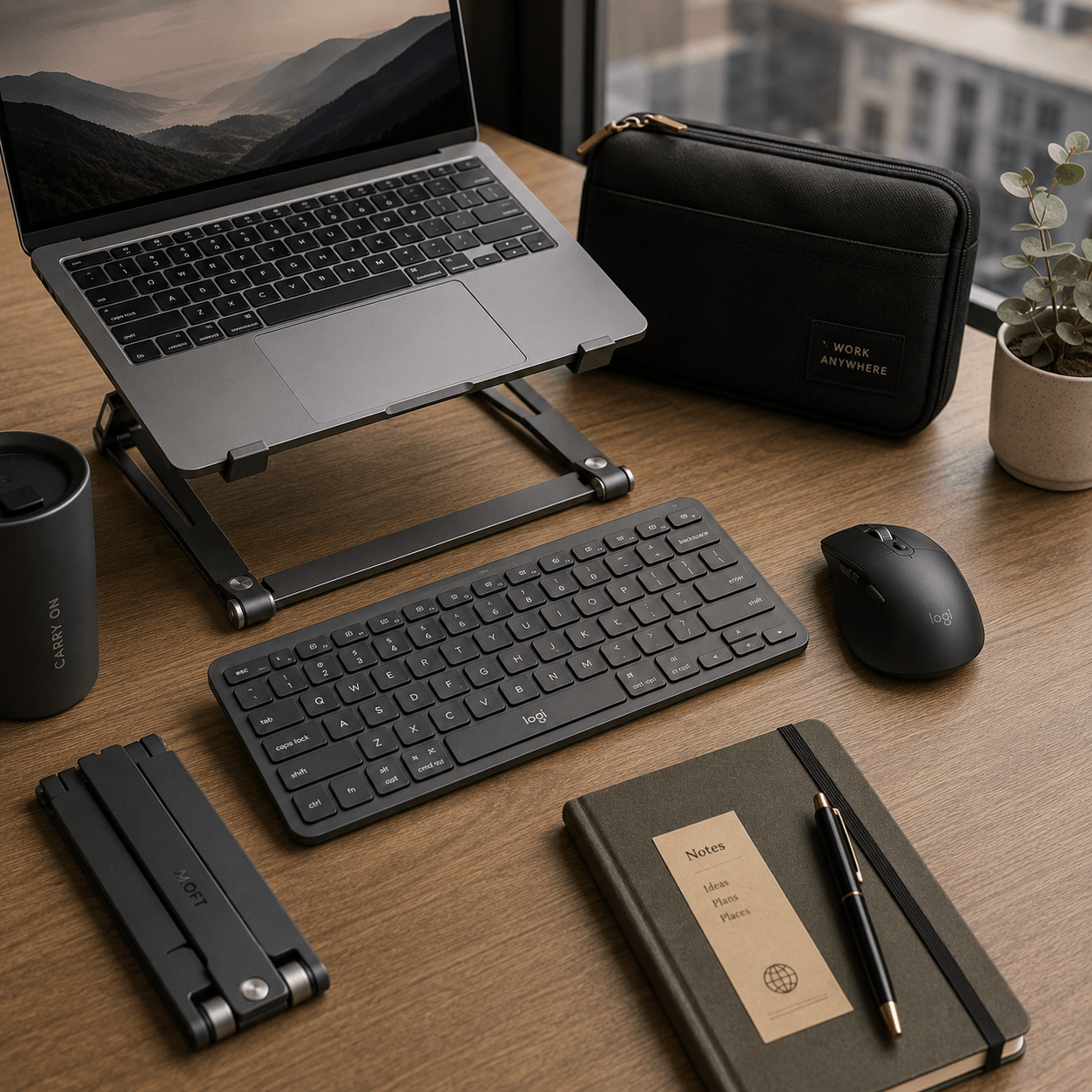
75% drops the number pad but keeps the function row and arrow keys, usually with the keys packed tighter together. This is the sweet spot for work, and it is what the MX Keys Mini, Keychron K3, and NuPhy Air75 all use.
60% strips the function row and dedicated arrows, putting them behind a function layer. Maximum portability, real cost: if you live in spreadsheets, use F-keys, or navigate documents by arrow key, you will feel it every day.
For most remote work — documents, spreadsheets, browsers, dashboards, email — 75% is the right trade. Go 60% only if you have tested a layer-based layout and know you are comfortable with it.
Noise: The Criterion That Matters Most in Shared Spaces
This is the section most specific to working away from a private office, and it is worth taking seriously.
Noise measurably degrades knowledge work. A 2015 World Green Building Council report found background noise can cause up to a 66% drop in productivity in some office settings. A 2019 study by Interface with Radius Global Market Research, surveying 2,014 office workers across the U.S., U.K. and Australia, found that 55% of offices are described as “noisy”, 69% of workers in disruptive environments say noise harms concentration, productivity and creativity, and nearly 80% say office noise makes it harder to concentrate.
Those findings are about workplace noise broadly rather than keyboards specifically. But they establish the stakes: in a coworking space you are both the victim and, potentially, the source.
On switches, the honest guidance is comparative rather than numerical. Outlets that run controlled decibel testing — RTINGS among them — consistently find that silent linear and tactile switches with rubber or silicone dampeners are meaningfully quieter than classic clicky switches like Cherry MX Blue. Precise decibel figures vary enough between testing setups, case materials, and keycap types that a single number is not worth trusting. Prefer relative comparisons from a reviewer who tests consistently.
The practical rule: scissor-switch and rubber-dome keyboards are the safe choice for shared spaces. Silent-switch mechanical boards are defensible. Clicky mechanical switches belong in a room with a door.
Battery Life on the Road
The useful distinction is not how many hours a keyboard lasts but what unit the rating is expressed in.
Keyboards rated in months or years — the Pebble Keys 2 at 50+ months, the Magic Keyboard at a month or more, the MX Keys Mini at 5 months with the backlight off — are effectively zero-maintenance. You never pack a cable for them.
Keyboards rated in hours — the Keychron K3 at 124, the NuPhy at 60 to 100 with lights on — join the charging rotation alongside your laptop, phone, headphones, and possibly a portable monitor. That is not disqualifying, but it is a real cost on a trip where outlets are contested.
Backlighting is almost always the deciding variable. On every backlit keyboard here, turning the lights off multiplies runtime by roughly an order of magnitude.
Common Buying Mistakes
Buying a clicky mechanical keyboard for a shared space. The most common and most socially expensive mistake in this category.
Optimising for typing feel over weight. The best keyboard is the one still in your bag in month three. A 724 g board you stop packing scores zero.
Ignoring the function row. People buy 60% layouts for the portability, then discover they use F-keys and arrow keys constantly.
Forgetting the backlight tax. A keyboard advertised at five months runs ten days with the lights on. Read which number the marketing is quoting.
Assuming multi-device pairing works everywhere. It is common, not universal, and the number of paired slots varies. Check before you rely on it.
Which Compact Keyboard Should You Choose?
Most remote workers: the Logitech MX Keys Mini. It is light enough, quiet enough, has the right layout, and the backlight-off battery life removes it from your list of concerns.
Coworking spaces and shared rooms: the Logitech Pebble Keys 2. Quietest, lightest, cheapest, and no charging cable.
People who care how typing feels: the Keychron K3, bought with a silent or linear switch.
Mac and iPad users: the Apple Magic Keyboard, if you can live without a backlight.
Tight budget, multiple devices, long stays: the Logitech K480.
Enthusiasts travelling by car: the NuPhy Air75 V3 in the silent Blush variant.
Frequently Asked Questions
Are mechanical keyboards too loud for coworking spaces? Clicky mechanical switches, yes — they are the loudest common option and carry across a room. Silent linear or tactile switches with dampeners are meaningfully quieter and are generally acceptable. If you want certainty rather than a judgement call, a quiet scissor-switch keyboard like the Pebble Keys 2 removes the question entirely.
What is the best keyboard for a hotel desk setup? Something light, backlit, and quiet. The MX Keys Mini is the strongest all-round answer, because hotel desks are frequently badly lit and it is the only pick here that combines a backlight with a genuinely compact 75% layout.
Is a 60% keyboard worth it for travel? Only if you have used a layer-based layout before. The weight saving over a good 75% board is modest, and losing dedicated arrow keys and the function row costs real time in spreadsheets and document work.
Do I need a mechanical keyboard for remote work? No. Scissor switches are lighter, quieter, thinner, and closer to the laptop keyboard you already use. Mechanical is a preference worth paying for if you type for hours and enjoy it — not a productivity requirement.
How much should a travel keyboard weigh? Under 550 g is the comfortable benchmark alongside a laptop. The Pebble Keys 2 at 415 g and the MX Keys Mini at 506 g both clear it comfortably. Above roughly 700 g you will notice it in the bag every day.
Can one keyboard work with my laptop, tablet, and phone? Yes — multi-device Bluetooth pairing is near-standard now. The Logitech K480 pairs with up to three devices and is the cheapest way in; the MX Keys Mini and most others here offer similar switching.
The Verdict
An external keyboard is the least glamorous upgrade in a portable setup and one of the most consistently worthwhile, because it fixes a problem you experience for every hour you work rather than occasionally.
For most people reading this, the Logitech MX Keys Mini is the right buy: 506 g, a proper 75% layout, quiet scissor switches, and a battery you can ignore for months. If you work mainly in shared spaces or you want to test the idea cheaply first, the Logitech Pebble Keys 2 does most of the job at 40% of the price and weighs less. If typing feel is something you genuinely care about, the Keychron K3 with silent switches is worth the extra 34 grams and the charging habit.
Whichever you choose, pair it with a laptop stand. The keyboard fixes your hands; the stand fixes your neck. Neither works properly alone.
Sources
- U.S. Bureau of Labor Statistics — 22.6 percent of workers teleworked in March 2026
- Logitech — MX Keys Mini official product page and data sheet (PDF)
- Logitech — Pebble Keys 2 (K380s) specifications
- Logitech — K480 official manual
- Keychron — K3 (Version 3) official spec page
- Apple — Magic Keyboard tech specs
- NuPhy — Air75 V3 product page
- World Economic Forum — Could reducing noise make offices more productive?
- Interface, Inc. — Workplace Acoustics Study (PDF)
- RTINGS — The Best Quiet Keyboards
Related Guides
- [How to Build a Portable Office Setup for Remote Work](/portable-office-setup-for-remote-work/)
- [Best Portable Monitor for Working From Hotels: Top Picks for Remote Workers](/best-portable-monitor-working-from-hotels/)
- [Do You Need a Travel Router for Hotel WiFi? A Remote Worker’s Guide](/do-you-need-a-travel-router-for-hotel-wifi/)