Do You Need a Travel Router for Hotel WiFi? A Remote Worker’s Guide
If your hotel room regularly doubles as your office, you’ve probably wondered: do I need a travel router for hotel WiFi, or is connecting the laptop directly good enough?
Here’s the short answer.
If you travel a few times a year with a laptop and a phone, you almost certainly don’t need one. If you work from hotels most months, carry four or more connected devices, run a VPN, and have client calls that can’t be rescheduled because the WiFi got weird, a travel router earns its space in the bag.
But it earns that space for one reason, and it isn’t speed.
A travel router is a network management tool, not a bandwidth upgrade. It gives your devices one familiar private network that follows you from property to property. It handles the hotel login page once instead of six times. It puts a router and a firewall between your gear and a network shared with 300 strangers. Some models will run your VPN at the router level so every connected device inherits it.
What it will not do is turn bad hotel internet into good hotel internet. If the property’s connection is congested, throttled, or down, your travel router is congested, throttled, or down right along with it.
Understanding that distinction is the whole decision.
What Is a Travel Router?
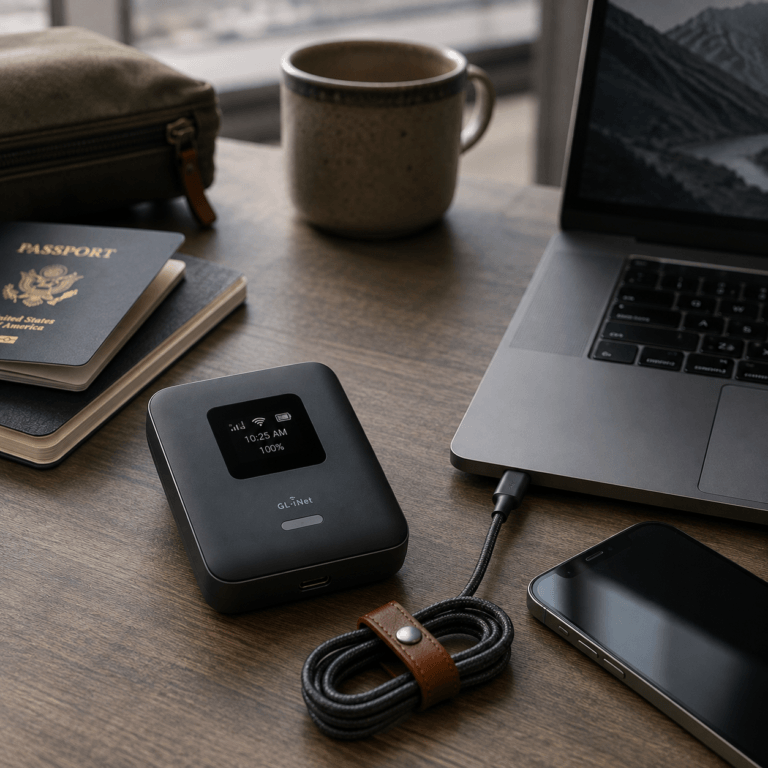
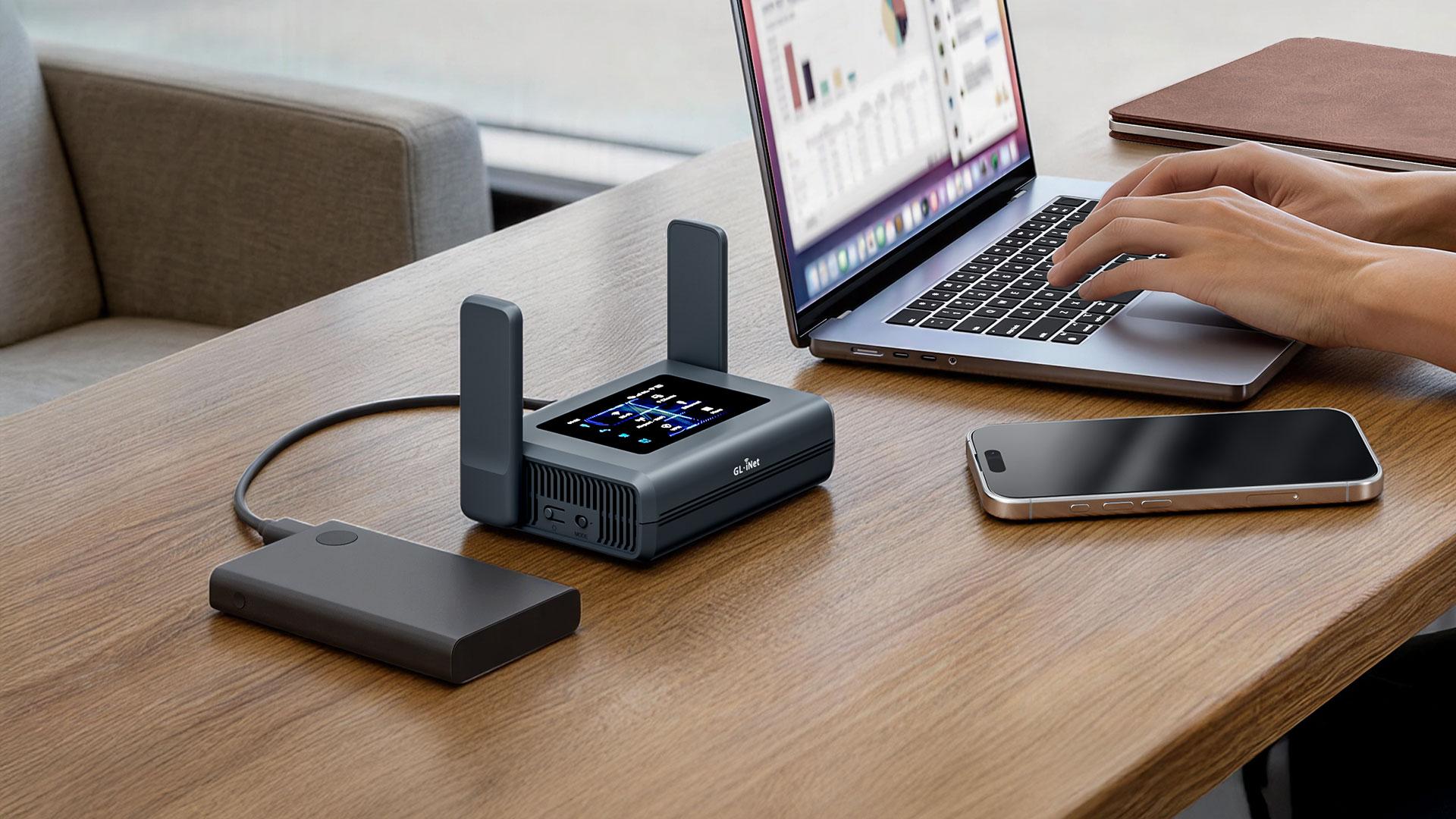
A travel router is a compact router — usually somewhere between a deck of cards and a paperback — that creates your own WiFi network wherever you are.
Instead of joining every device to the hotel’s network individually, the travel router joins the hotel network first. Your laptop, phone, tablet, streaming stick, camera, and anything else then connect to the travel router.
The chain looks like this:
Hotel WiFi → Travel Router → Your Private Network → Your Devices
If the room has a working Ethernet jack, most travel routers will take the wired connection as their upstream instead, which is usually the better option when it’s available. Ethernet in guest rooms has become less common over the years, so treat it as a bonus rather than a plan.
The practical payoff is consistency. Your devices stay configured for the same network name and password in every city. You arrive, connect one device to the hotel network, and everything else reconnects on its own.
For one laptop and one phone, that’s a small win. For a laptop, work phone, personal phone, tablet, portable monitor, streaming device, and a camera that uploads over WiFi, it’s the difference between working in ten minutes and working in forty.
How a Travel Router Works in a Hotel Room
Most travel routers offer a repeater or WISP mode. The router associates with the hotel’s existing WiFi as a client, then broadcasts its own separate network for your devices. In WISP mode it typically creates its own subnet behind its own NAT and firewall, so your devices sit on a private network rather than sharing a segment with every other guest.
One technical detail worth knowing before you buy: on a single-radio router, repeating over WiFi means the radio has to talk to the hotel access point and to your devices on the same band, taking turns. That can cut your usable throughput roughly in half. Dual-band models that can pull the upstream on 5 GHz while serving your devices on a different band avoid most of that penalty — which is why the spec matters more than the marketing.
This is also why an Ethernet upstream, when you can get one, outperforms repeating.
Do You Need a Travel Router for Hotel WiFi?
Skip the general advice and check your own situation.
A travel router is likely worth packing if you:
- work from hotels more than a few weeks a year
- travel with four or more WiFi devices
- keep hitting hotel login pages on every device
- want one network name and password everywhere
- want your devices behind your own router rather than attached directly to a public network
- use a VPN routinely and would rather manage it in one place
- need a predictable setup because you’re working within an hour of check-in
You probably don’t need one if you:
- travel occasionally
- carry just a laptop and a phone
- have strong cellular coverage where you go
- already tether to your phone by default
- rarely do anything on hotel WiFi that would hurt if it failed
The real question isn’t whether a travel router is necessary. It’s how much setup friction you’re willing to absorb on arrival, multiplied by how many arrivals you have this year.
What a Travel Router Cannot Fix
Hotel WiFi is engineered to give a few hundred guests adequate access to streaming and email. It is not engineered around your Zoom call.
A travel router sits downstream of all of that. If the property has limited bandwidth shared across a full house, your router cannot create capacity that doesn’t exist. If the signal in your room is weak because you’re four floors and two elevator shafts from the access point, your router receives that same weak signal. If the hotel’s circuit goes down, you go down with it.
So separate the two problems:
- Connection management — a travel router helps.
- Internet availability — cellular data, a hotspot, or an eSIM is the answer.
They are different purchases solving different failures. Buying the first one to fix the second is the most common mistake in this category.
Test before you trust it
Run a speed test as soon as you’re connected, and look at upload, not just download. Upload is what carries your video, your screen share, your cloud sync, and your file transfers. A connection showing 80 Mbps down and 2 Mbps up will still make you look frozen on a client call.
As a working floor for real work:
- Video calls: roughly 1.5 Mbps up for a solid standard-definition call, and closer to 3–4 Mbps up for comfortable 1080p group video
- Latency: under about 150 ms round trip
- Jitter and loss: jitter under ~30 ms, packet loss under 1%
Speed tests won’t show you jitter and loss on most consumer sites, so if a call sounds choppy despite decent numbers, that’s usually why. If the connection can’t clear these bars, switch to cellular. Don’t spend twenty minutes changing router settings to fix a problem that lives in the hotel’s basement.
How Travel Routers Help With Hotel Login Pages
Most hotels use a captive portal — the browser page that appears on first connection asking for your room number, last name, a voucher code, or just an “I accept” button.
Without a router, you deal with that portal on every device, sometimes daily, sometimes per 24-hour session.
With a compatible travel router, you connect the router to the hotel network, complete the portal login once from any device, and everything behind the router rides along on that authorization.
That’s the ideal case, and it’s common. It isn’t universal. Some portals authenticate per MAC address and behave oddly with a router in front of them. Some need MAC cloning — copying your laptop’s hardware address onto the router’s WAN interface — so the portal sees the device it expects. Some require a specific login sequence, and a few need the front desk to register the device.
The honest expectation: a travel router usually simplifies captive portals, and occasionally requires five minutes of fiddling. Look for a router whose manufacturer documents captive-portal handling and MAC cloning clearly, because you will use both.
What About Hotel Device Limits?
Plenty of hotel networks cap how many devices a single room or login can register. Two is common. Three isn’t unusual.
Because everything behind a travel router reaches the internet through the router’s single connection, your seven devices generally look like one to the hotel. That’s a genuine convenience if you carry a lot of gear.
Treat it as a convenience feature, not a workaround. Some networks are designed to detect and limit exactly this, and some properties’ terms of service address it directly. When the network permits it, you get a clean setup. When it doesn’t, don’t fight the network — use cellular.
Are Travel Routers Safer Than Connecting Directly?
A travel router improves your position on a public network. It does not make a public network safe, and any product page that suggests otherwise is selling you something.
What it actually does: your devices sit behind your own NAT and firewall on a private subnet instead of being individually exposed on a shared guest segment. That reduces your exposure to other devices on that network — the guest two floors up scanning the subnet, the printer nobody secured, the laptop with something running on it. It also means you control the network your devices trust, rather than trusting whatever the hotel named “Guest_WiFi_5G.”
What it does not replace:
- HTTPS everywhere
- multi-factor authentication on everything that matters
- current OS, browser, and firmware patches
- full-disk encryption and screen lock
- a VPN where appropriate
- verifying you’re on the legitimate hotel network before you connect to anything
- your employer’s security policy, which outranks all of the above
That last verification point deserves emphasis, because a router doesn’t help with it. If you associate your travel router with an evil-twin access point named to look like the hotel’s network, you’ve simply built a private network on top of an attacker’s uplink. Confirm the network name with the front desk when there’s any doubt. It takes one question.
For solopreneurs logging into client portals, invoicing systems, cloud drives, WordPress dashboards, and payment tools from the road, a travel router is one control in a stack. It shouldn’t be the only one.
Using a VPN With a Travel Router
Many travel routers support VPN client connections at the router level, typically WireGuard or OpenVPN. Connect the router to your VPN provider once, and every device behind it inherits the tunnel without individual configuration.
For a multi-device traveler, that’s real time saved — and it covers devices that can’t run a VPN client at all, like a streaming stick or a camera.
Two caveats worth keeping in mind.
First, router-level VPN throughput is limited by the router’s processor. A small travel router encrypting traffic for six devices will often top out well below your connection speed. Check the manufacturer’s published VPN throughput figures, not just the WiFi specs.
Second, if you use company equipment, your employer’s VPN client stays on the laptop and takes priority. Corporate policy wins. Router-level VPN is for the gear you own and administer yourself.
The Downsides Nobody Mentions
An honest guide covers the other side.
You’re adding a device that can fail. One more thing to power, update, and troubleshoot — at the exact moment you’re already stressed about a call.
Double NAT. Your devices now sit behind the hotel’s NAT and yours. This is fine for browsing, email, and video calls, but it can complicate some corporate VPN configurations and anything expecting inbound connections.
Throughput cost. As covered above, single-radio WiFi repeating can roughly halve your usable bandwidth on an already-constrained connection.
Property policies. Some hotels’ acceptable-use terms restrict personal access points. Worth noting: the FCC has taken enforcement action against hotel operators for blocking guests’ personal WiFi — Marriott paid a $600,000 settlement in 2014 over signal blocking at a Nashville property — but that ruling concerned deliberate jamming of personal hotspots, not a guarantee that any device you plug in is contractually welcome. Read the terms if you’re somewhere strict.
It’s another thing in the bag. A router, its cable, and possibly its own power brick. Small, but not free.
Travel Router vs. Mobile Hotspot
These get compared constantly, and they solve genuinely different problems.
A travel router manages an internet connection you already have. A mobile hotspot provides an internet connection over cellular.
| Travel Router | Mobile Hotspot |
|---|---|
| Connects through hotel WiFi or Ethernet | Uses cellular service |
| Creates your own local network | Creates a cellular-backed WiFi network |
| Good for managing multiple devices | Good when hotel WiFi is poor or absent |
| Can simplify captive portals | Never sees a captive portal |
| May support router-level VPN | Depends on cellular coverage and data plan |
| Cannot fix bad hotel bandwidth | Is the fix for bad hotel bandwidth |
For frequent travelers this isn’t either-or. The strongest setup runs both:
Travel router to manage the portable network, plus hotspot or eSIM as the backup uplink.
Better still, many travel routers accept a USB cellular modem or a tethered phone as their upstream. When hotel WiFi fails, you switch the router’s WAN source and every device behind it keeps working without reconnecting to anything. That’s the setup that makes a bad-internet night a non-event.
If you can only buy one this year and your recurring problem is bad hotel internet rather than annoying hotel internet, buy the cellular backup first.
What to Look for in a Travel Router for Work
If you’ve decided it belongs in your kit, buy for the features that matter on the road — not the longest spec sheet.
Repeater / WISP mode. Non-negotiable. The router must join an existing WiFi network and rebroadcast its own.
Dual-band with a proper upstream radio. Avoids the throughput penalty described earlier.
Documented captive portal support and MAC cloning. You will need both eventually. Manufacturer documentation quality is a real buying criterion here.
VPN client support with published throughput. Check protocols supported and actual encrypted throughput, not just “VPN ready.”
USB-C power. Lets the router run off the same GaN charger or power bank as everything else, and drops a wall wart from your bag.
An Ethernet port or two. For wired upstream, and for anything that connects better by cable.
Optional USB tethering / cellular modem support. This is what turns the router into a single switchover point when hotel WiFi dies.
Size and weight. It has to earn its place. A router that’s technically superb and the size of a hardcover book will stay home by trip three.
Setup quality. You should be able to configure it from a phone in a dim hotel room in under five minutes. Nobody wants to be reading a networking forum at 7:40 a.m. before an 8:00 call.
Firmware update history. Check whether the manufacturer actually ships security updates, and for how long after release. A router is an internet-facing device on an untrusted network — abandoned firmware is a real risk, not a theoretical one.
A Hotel Arrival Checklist for Remote Workers
The router works best inside a repeatable routine. On arrival:
- Confirm the real network name with the front desk if there’s any doubt.
- Connect the router to the hotel WiFi or the room’s Ethernet jack.
- Complete the captive portal login — clone your laptop’s MAC address if the portal balks.
- Verify your devices can reach the internet through the router.
- Bring up your VPN if your work calls for it.
- Test download and upload, and note whether upload clears your call threshold.
- Run a real test — a two-minute call, a test upload — before anything scheduled.
- Confirm your cellular backup is live and has data available.
- Follow your employer’s network and VPN policy if you’re on company equipment.
Step nine is the one that matters most if you carry a corporate laptop. Some organizations prohibit intermediate network devices entirely. Know your policy before you plug anything in.
Frequently Asked Questions
Will a travel router make hotel WiFi faster? No. Your speed is capped by the hotel’s connection, congestion, and signal strength. On a single-radio router, WiFi repeating can actually make it slower. Buy one for convenience and network control, not speed.
Can a travel router get around hotel device limits? Usually, since your devices share the router’s single connection. But some networks detect it and some properties’ terms address it. Treat it as a convenience, not a guarantee.
Do I still need a VPN if I use a travel router? Yes, where a VPN is appropriate for your work. A router separates your devices from the hotel network; a VPN encrypts your traffic across it. They do different jobs.
Travel router or mobile hotspot — which first? If your problem is unreliable internet, buy cellular backup first. If your problem is reconnecting seven devices at every check-in, buy the router. Frequent travelers eventually carry both.
Is hotel WiFi safe with a travel router? Safer, not safe. You gain isolation from other guests on the network. You still need HTTPS, MFA, current patches, and a VPN where appropriate — and you still need to confirm you’re joining the legitimate network in the first place.
Final Verdict: Is a Travel Router Worth Packing?
So — do you need a travel router for hotel WiFi?
Occasional traveler with a laptop, a phone, and decent cell service? No. Save your money and your bag space.
Remote worker, digital nomad, creator, or solopreneur turning hotel rooms into offices most months? It’s one of the higher-value pieces of gear you can carry, because it removes a recurring friction rather than solving a one-time problem.
Just be clear about what you’re buying. The benefits are consistency, multi-device management, network separation, captive-portal convenience, and centralized VPN — not bandwidth. Your travel router will only ever be as good as the connection feeding it.
Which is exactly why the complete answer is usually both: a travel router to run your portable network, and a cellular option to keep it fed when the hotel can’t.
Work. Connect. Carry.
Related Guides
- [Travel Router vs Mobile Hotspot: Which Is Better for Remote Work?](/travel-router-vs-mobile-hotspot/)
- [How to Build a Portable Office Setup for Remote Work](/portable-office-setup-for-remote-work/)
- [Best Portable Monitor for Working From Hotels: Top Picks for Remote Workers](/best-portable-monitor-working-from-hotels/)